Project Management
The Projects module tracks compliance initiatives with tasks, milestones, dependencies, and status reporting. Six view types -- Initiatives cards, Table, Kanban, Calendar, Timeline, and Status Report -- let you manage work however suits your team.
Overview
Access from Overview → Current Initiatives in the sidebar.
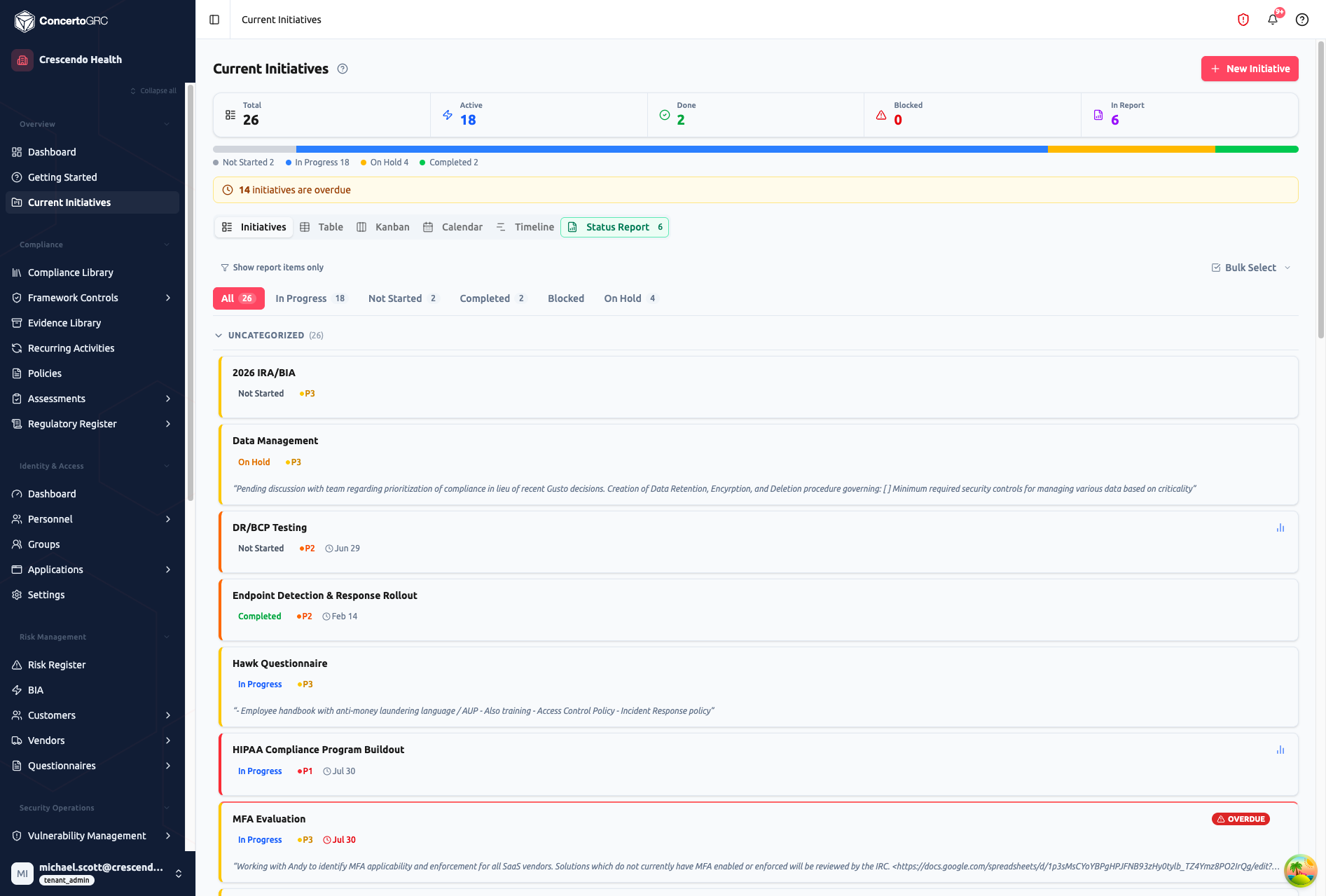
Summary Statistics
| Card | Description |
|---|---|
| Total | All initiatives |
| Active | In Progress + Not Started |
| Done | Completed count |
| Blocked | Blocked count |
| In Report | Initiatives flagged for status reports |
A progress bar below the stats shows the distribution by status. An overdue warning banner appears when initiatives are past their due date.
Views
Initiatives
Card-based view organized by sections. Each card shows the initiative title, status badge, priority, due date, status update excerpt, and an overdue indicator if applicable. Cards are grouped under collapsible section headers.
Table
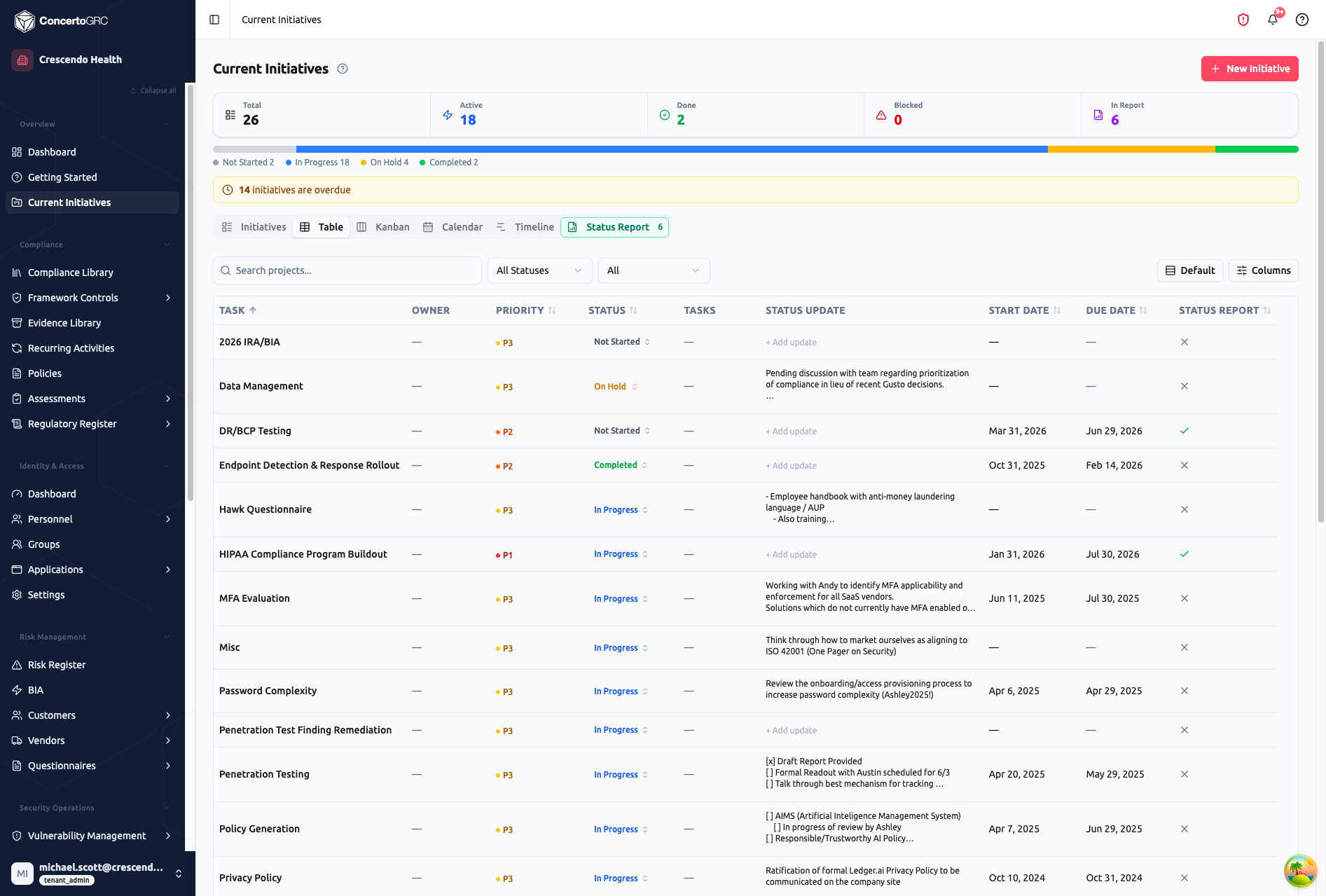
Sortable and filterable table with inline-editable columns. Click any task name, due date, or status to edit directly in the table. Columns include task title, owner, priority, status, task count, status update, start date, due date, and status report flag.
Kanban
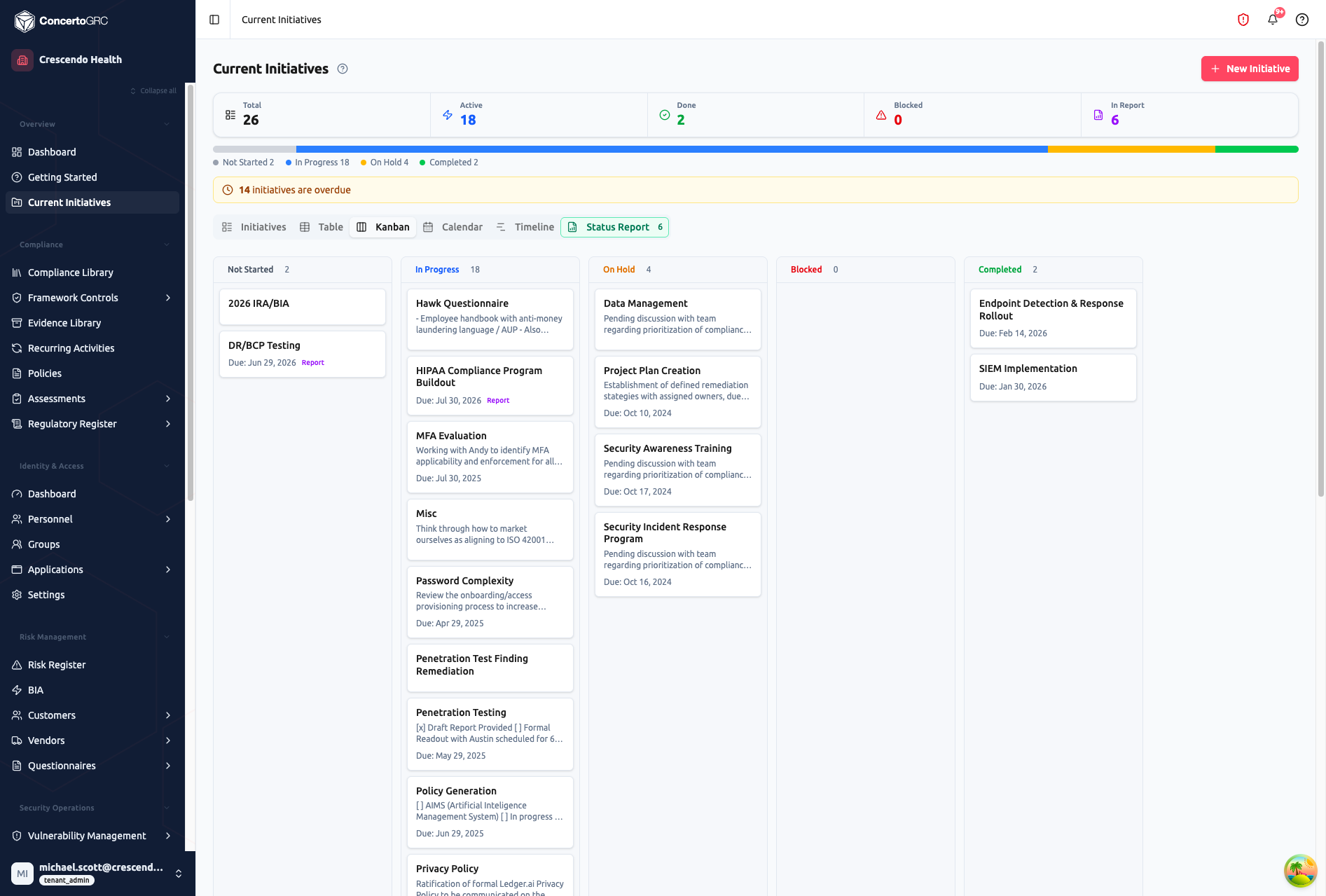
Drag-and-drop board with columns by status (Not Started, In Progress, On Hold, Blocked, Completed, Cancelled). Each card shows the initiative title, description excerpt, due date, and a Report badge if flagged. Drag initiatives between columns to update their status.
Calendar
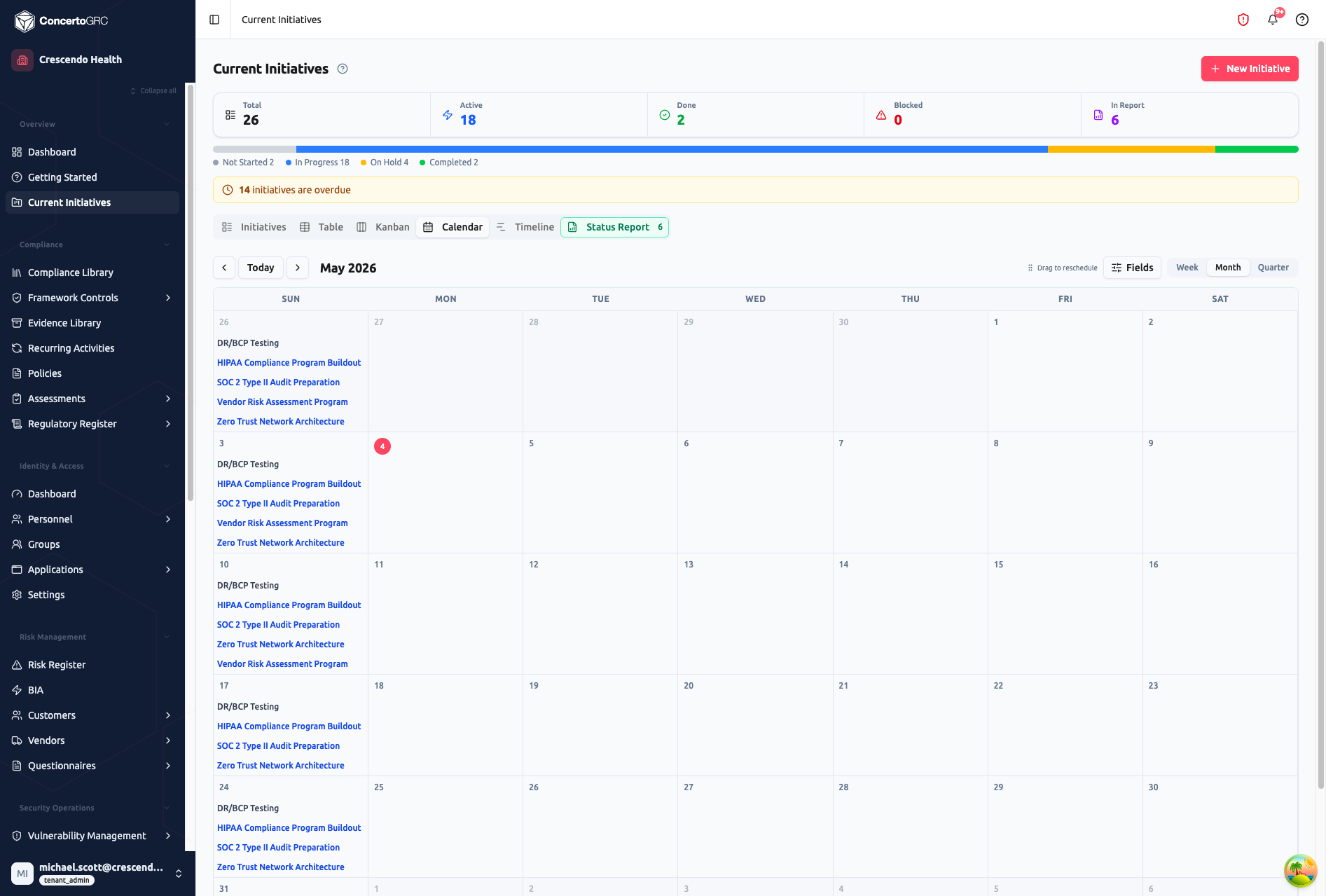
Calendar view showing initiatives by their due dates. Switch between Week, Month, and Quarter views. Use the Fields button to configure which fields appear on calendar entries. Drag initiatives to reschedule.
Timeline
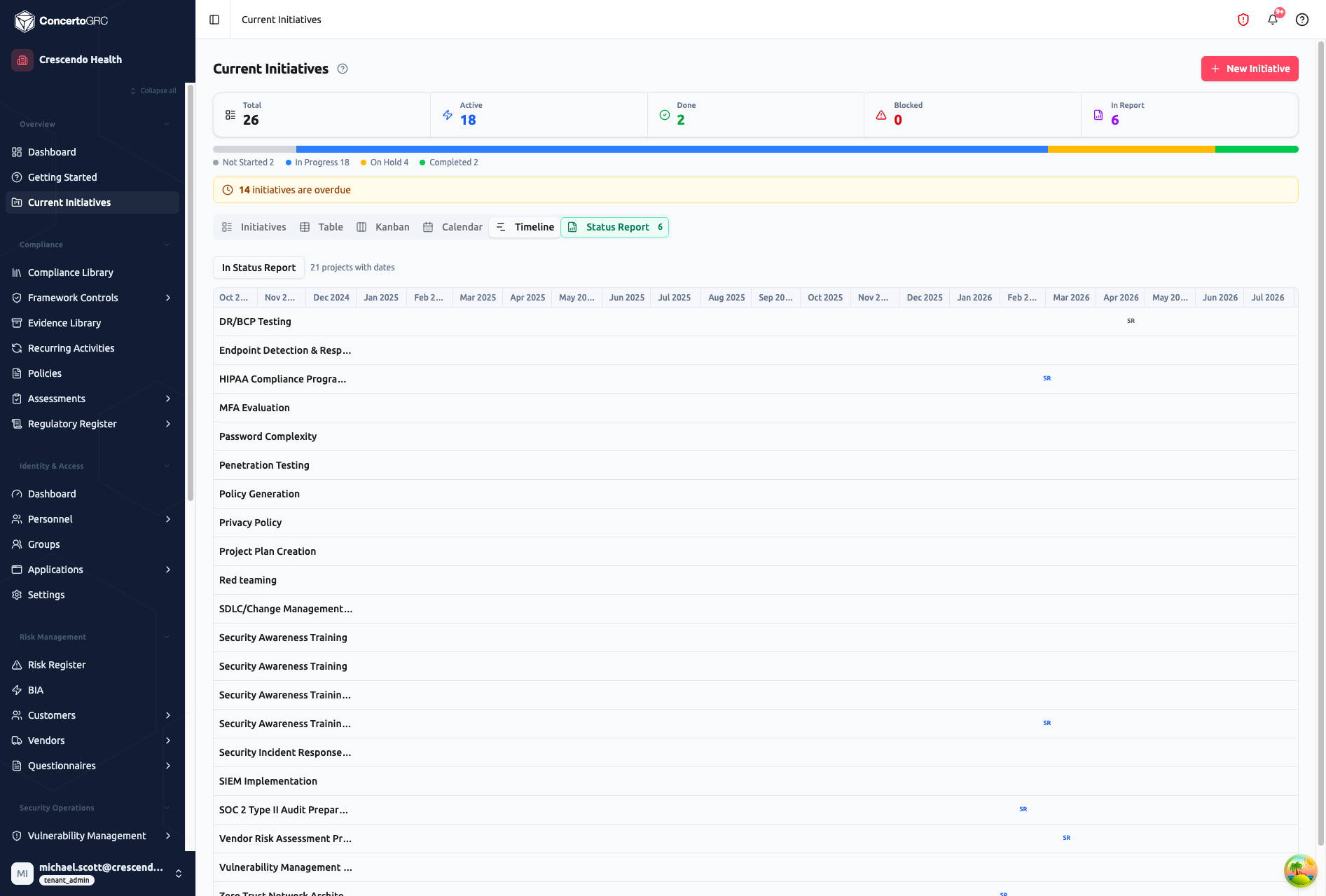
Gantt-style timeline showing initiative durations from start date to due date. Filter to show only initiatives in the status report. Initiatives flagged for reporting display an SR badge.
Status Report
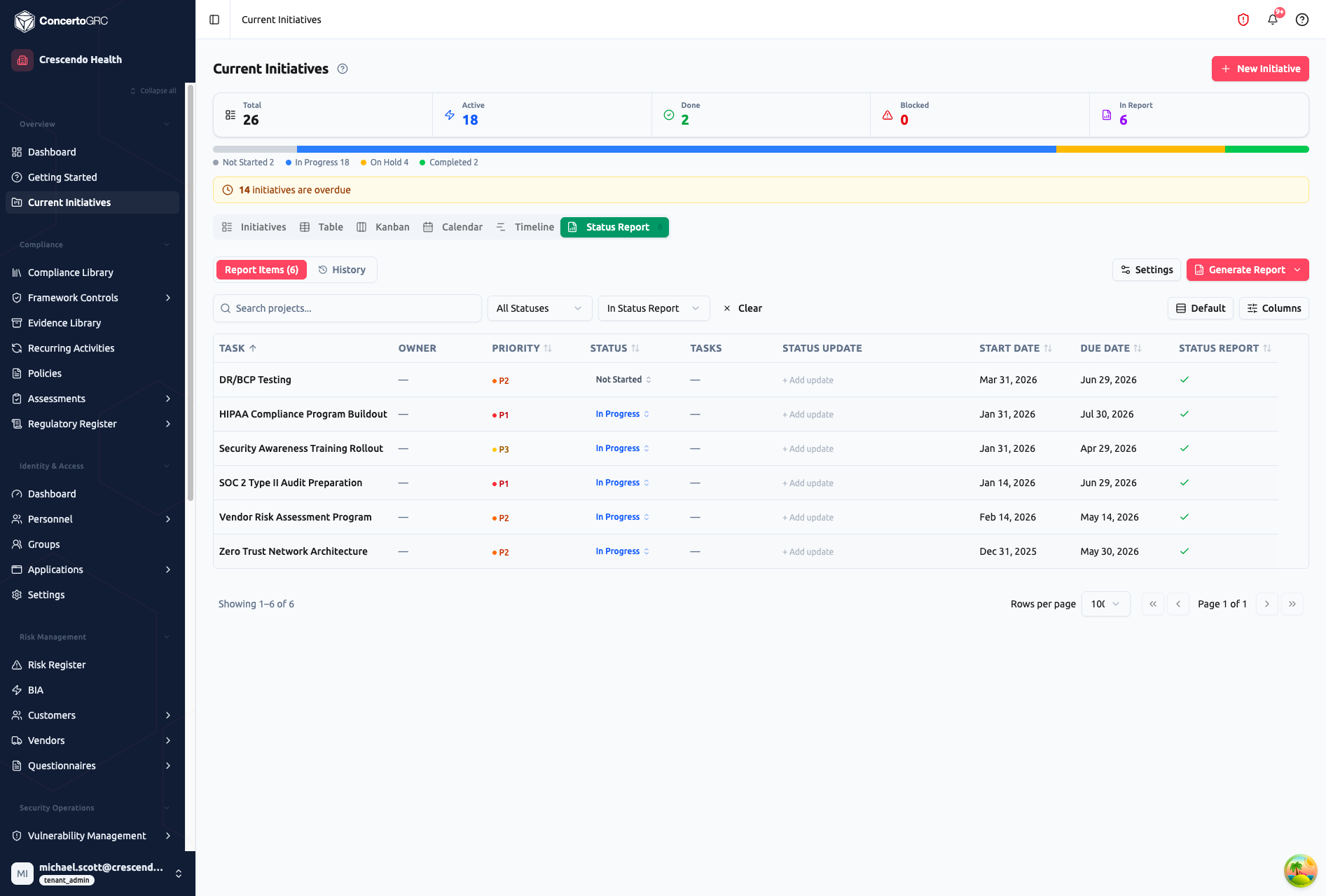
Generate and send initiative status reports. The Status Report tab has two sub-tabs:
- Report Items -- Initiatives flagged with Include in Status Report, filtered for the report
- History -- Log of previously generated and sent reports
Reports can be generated as DOCX or inline HTML email, with AI-powered summaries.
Initiative Detail
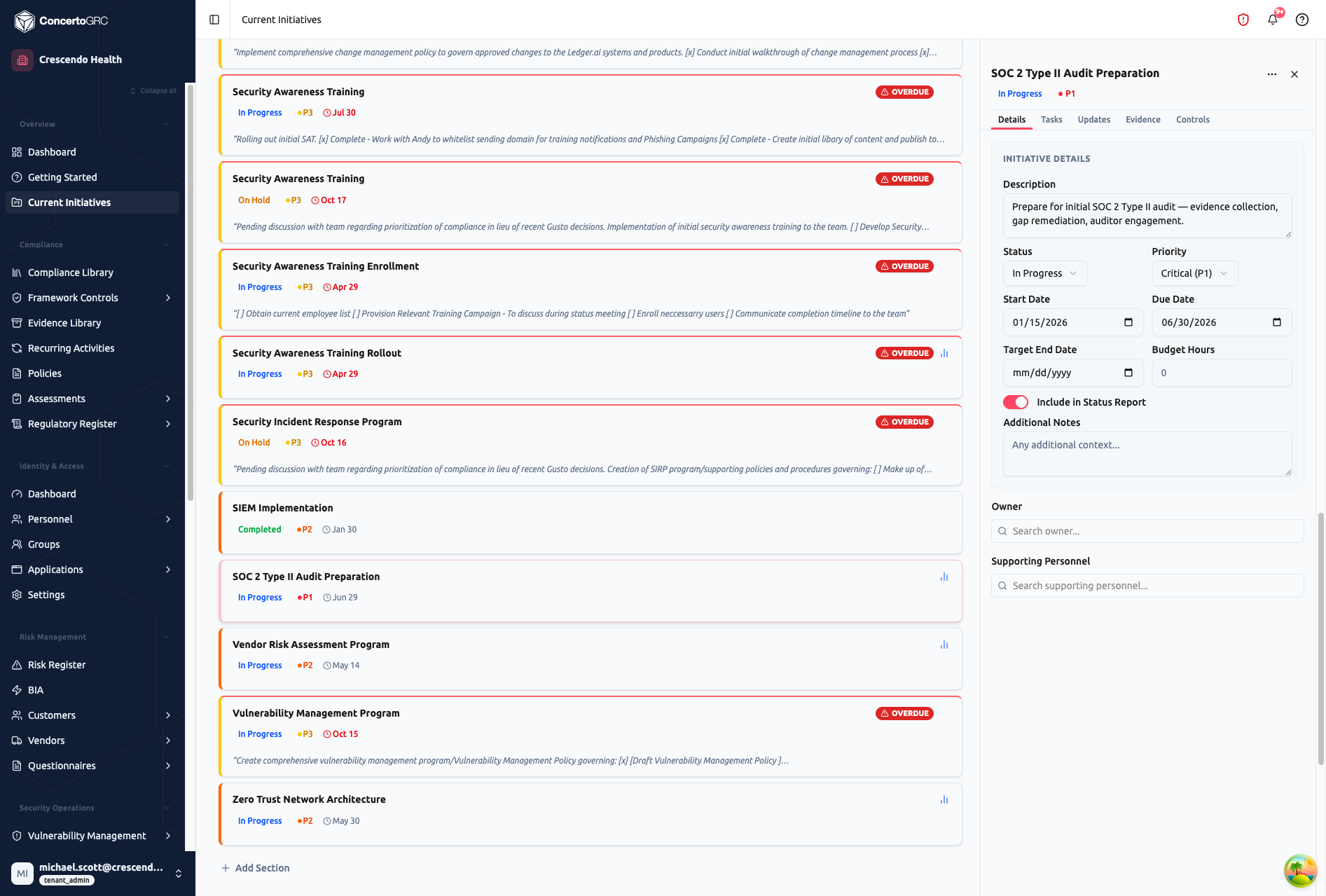
Click any initiative to open its detail sidecar. The sidecar has five tabs:
| Tab | Contents |
|---|---|
| Details | Status, priority, dates, description, owners, budget hours, status report toggle |
| Tasks | Task list with subtasks, assignments, and progress |
| Updates | Status update history timeline |
| Evidence | Linked evidence requests |
| Controls | Linked framework controls |
Initiative Fields
| Field | Description |
|---|---|
| Title | Initiative name |
| Description | Rich text description (up to 50,000 characters) |
| Status | Not Started, In Progress, On Hold, Blocked, Completed, or Cancelled |
| Priority | Critical (P1), High (P2), Medium (P3), or Low (P4) |
| Status Update | Latest status note |
| Start Date | When work begins |
| Due Date | When it's due |
| Target End Date | Expected completion date |
| Actual End Date | When it actually completed |
| Budget Hours | Estimated hours |
| Owners | Users and key contacts leading the initiative |
| Supporting Personnel | Additional team members |
| Products | Linked product scopes |
| Color | Custom color for visual identification |
| Include in Status Report | Flag for recurring status reports |
Sections
Group initiatives into collapsible sections for organization:
- Create sections with a name and optional icon
- Drag initiatives between sections
- Reorder sections
- Collapse/expand sections in the Initiatives view
Status Updates
Each initiative has an append-only status update log. Add updates to track progress over time -- previous updates are preserved as a history timeline.
Tasks
Break initiatives into tasks with assignments, due dates, and dependencies.
Task Fields
| Field | Description |
|---|---|
| Title | What needs to be done |
| Description | Detailed instructions (up to 10,000 characters) |
| Status | Not Started, In Progress, Blocked, Completed, or Cancelled |
| Priority | Critical, High, Medium, or Low |
| Assignee | User responsible |
| Start Date | When work begins |
| Due Date | Deadline |
| Estimated Hours | Time estimate |
| Actual Hours | Time spent |
| Milestone | Flag as a milestone for timeline display |
| Tags | Searchable labels |
| Dependencies | Tasks that must complete before this one can start |
Subtasks
Tasks can have subtasks for breaking work into smaller steps. Subtasks have the same fields as regular tasks and nest under their parent.
Kanban Columns
Each initiative can define custom kanban columns for its tasks, beyond the default status columns.
Entity Links
Link tasks to compliance records across the platform:
| Entity Type | Description |
|---|---|
| Control | Framework control |
| Evidence | Evidence request |
| Risk | Risk register entry |
| Policy | Policy or procedure |
| Vendor | Vendor record |
| Activity | Recurring activity |
Comments
Tasks support threaded comments for team discussion.
Status Reports
Generating Reports
- Flag initiatives with Include in Status Report
- Navigate to the Status Report tab
- Click Generate -- AI creates a summary of flagged initiatives
- Review and edit the generated content
- Send via email or download as DOCX
Report Configuration
Configure report settings including recipients, schedule, and formatting preferences. Reports can be generated on demand or on a recurring schedule.
Report History
All generated reports are saved with timestamp, author, and download link. Access previous reports from the History sub-tab.